
1. Download the iDealBed App
Choose your device type and download the official app:
Apple Download Android Download
Once installed, open the app by tapping the iDealBed icon.
2. Allow All Requested Permissions (Android Users Only)
When the app asks for permissions:
Bluetooth – REQUIRED (to connect to your adjustable base)
Location – REQUIRED (used only during the initial setup to detect nearby devices)
Tap Allow for everything.

3. Start Setup
When the loading screen appears, tap the iDealBed logo to begin.
(Yes, you really do need to tap the logo.)
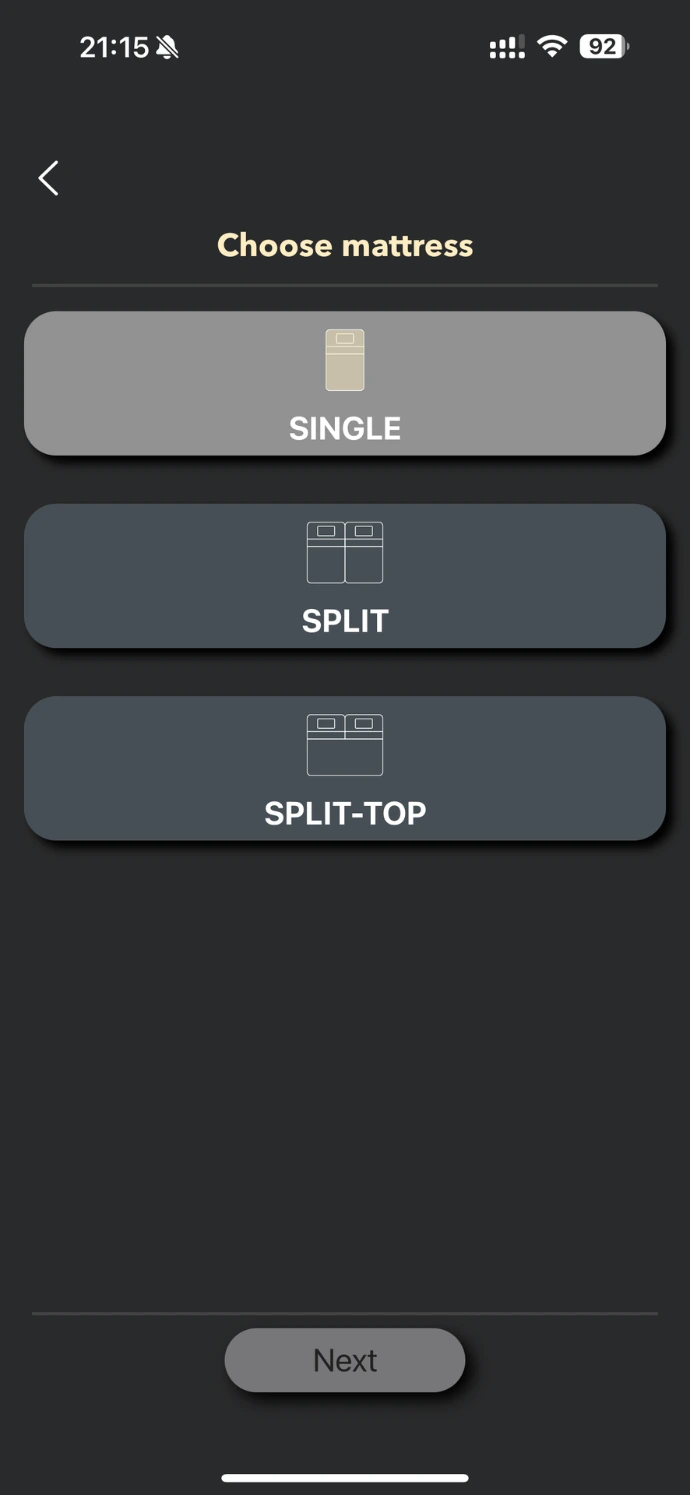
4. Choose Your Mattress Type
On the “Choose Mattress” screen, select the option that matches your bed:
Single (one whole mattress)
Split (two separate mattresses)
Split-Top (one mattress with split head)
Tap Next.

5. Name Your Bed
Enter a simple, friendly name like:
“Master Bedroom”
“Simon’s Bed”
“Guest Room”
This helps you identify the bed in the app.
Tap Next.
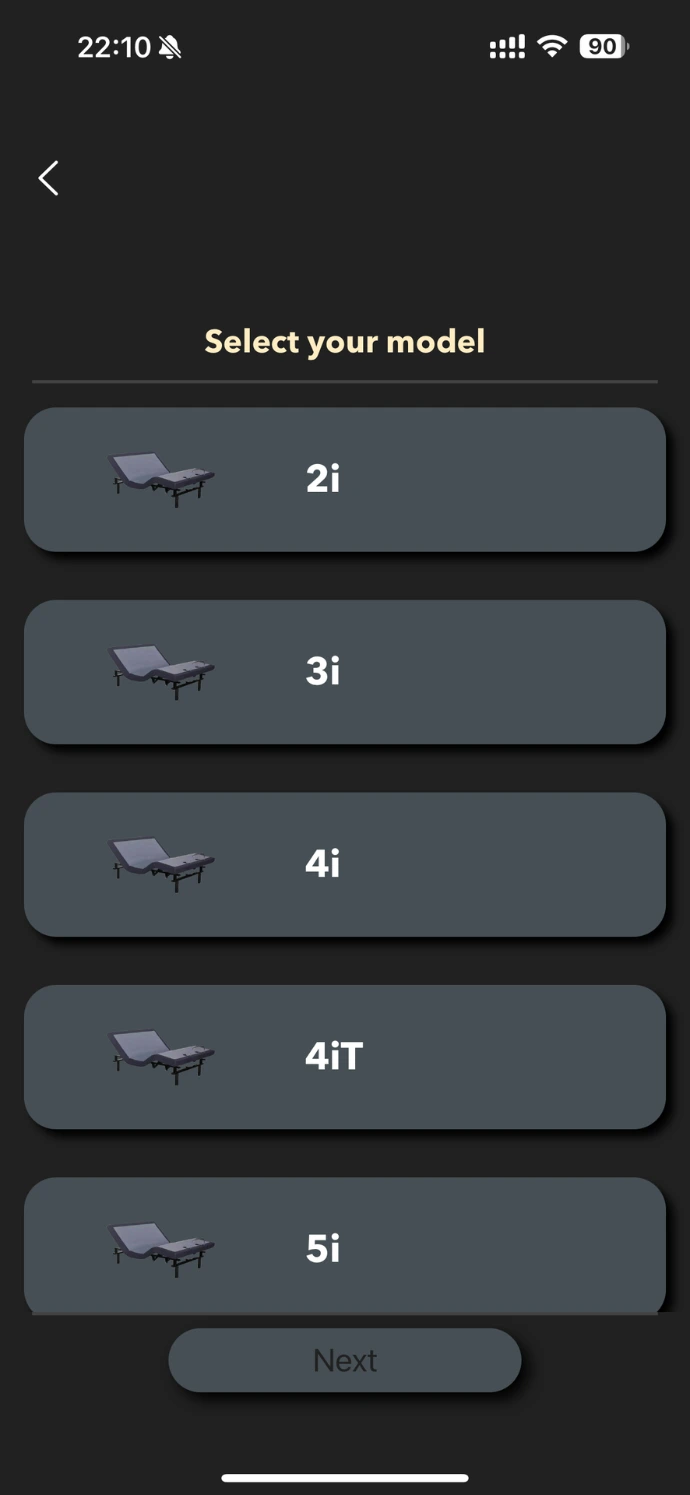
6. Select Your Adjustable Base Model
You will see your model listed on screen.
Tap it, then tap Next.
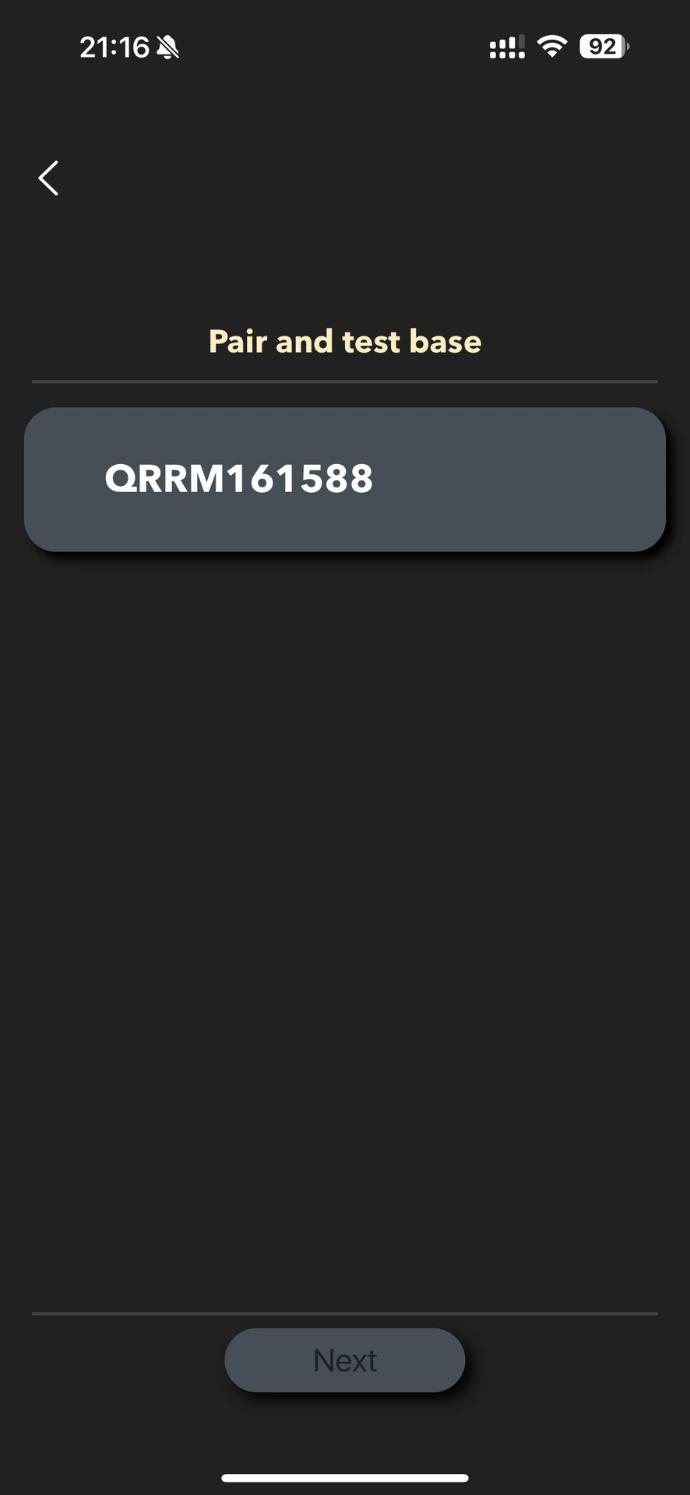
7. Pair & Test Your Base
On the Pair and Test Base screen you will see a code for your bed click the button
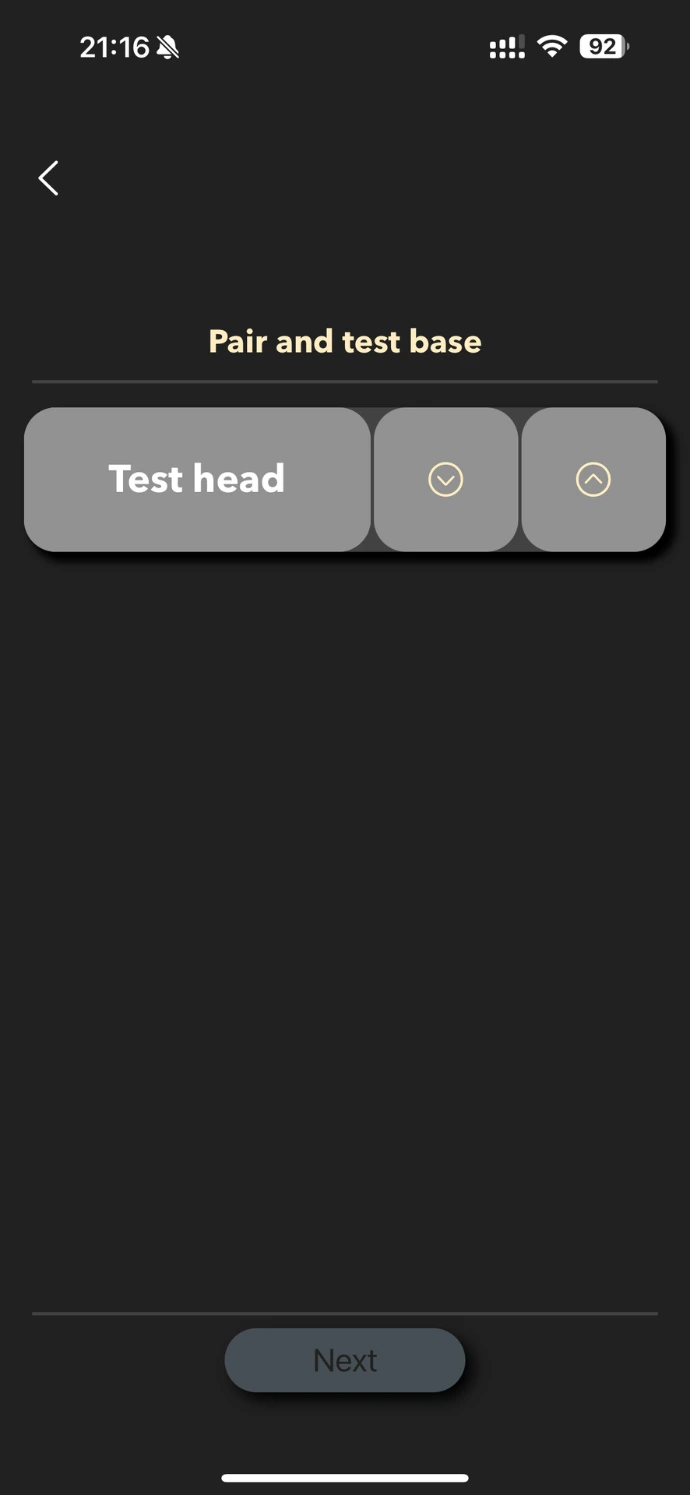
7. Pair & Test Your Base
On the Pair and Test Base screen:
You will see on-screen buttons for Head Up, Head Down, etc.
Tap each button to make sure the bed responds.
When the bed moves correctly, tap Next.
8. Setup Complete
You now have full access to all app functions, including presets, massage, lighting, zero-gravity, anti-snore, and more.